
EMBEDDED NOTES · OPEN-SOURCE
A Hardcore New Open-Source Project on GitHub: Jumper, the 22-DoF Crab Robot — Fully Open Source from Training to On-Device Deployment
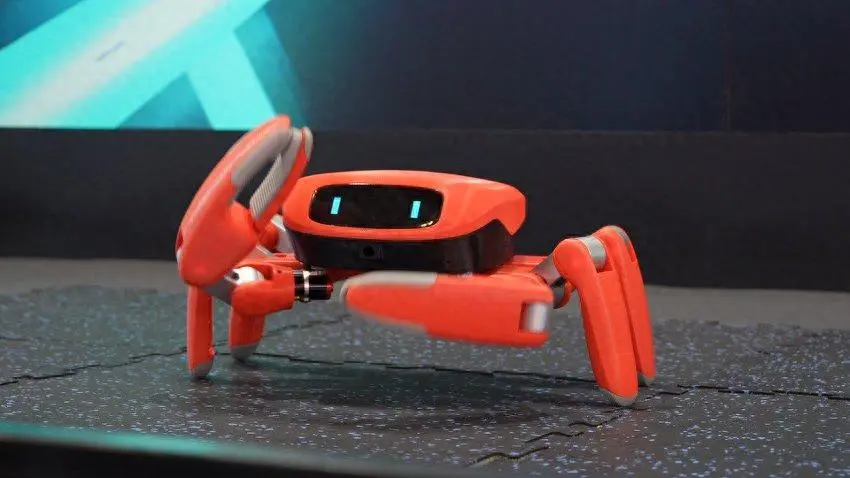
Remember that little red crab robot that walked sideways across the exhibition floor at WAIC in July, then danced to trending music at WRC in August and even used its claw to pick up a refrigerator magnet and hand it to a visitor? On September 30, its developers open-sourced the entire software stack. The repository is KingKongRobotics/jumper, licensed under Apache-2.0. Unlike most “open-source robots” that release little more than a model and a few videos, this repository provides the complete pipeline, from training and simulation to model export and deployment on the onboard NPU. The team has also put up 100 engineering prototypes as competition prizes — teach Jumper a new move, and you get to keep the robot.
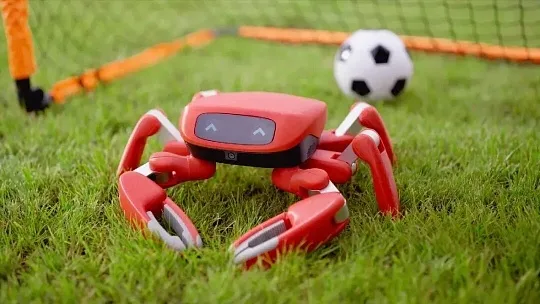
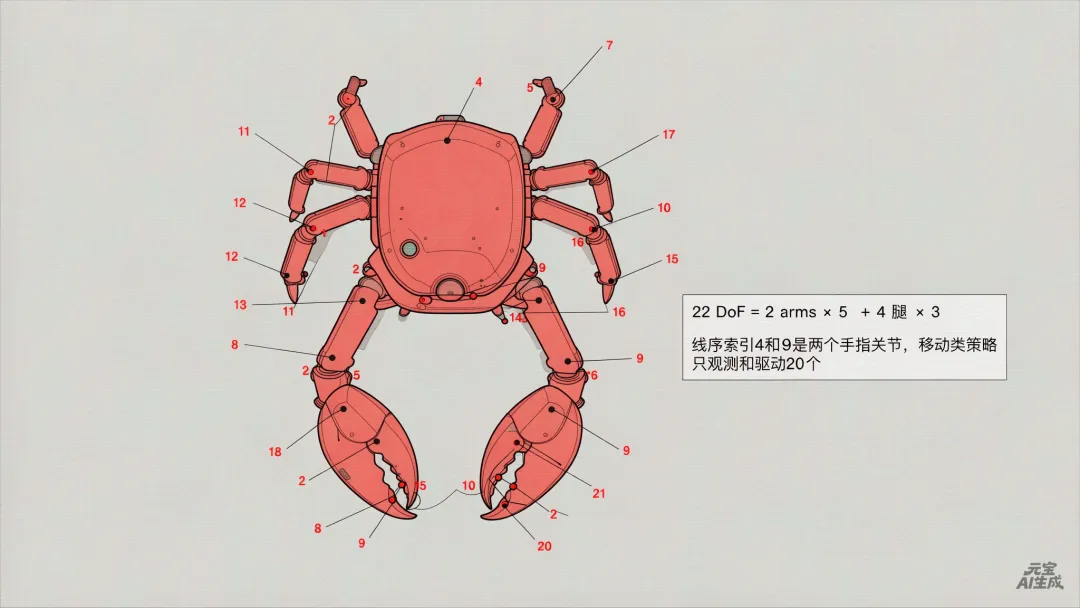
Almost every report describes it as a hexapod, but open the MuJoCo model file assets/jumper/jumper.xml in the repository and count the legs: it actually has only four walking legs. Its 22 degrees of freedom break down as follows: the two front claws each have 5 DoF (shoulder, upper arm, forearm, palm, and finger), while the four walking legs — two on each side — each have 3 DoF (hip, thigh, and lower leg). That gives 2 × 5 + 4 × 3 = 22.
The locomotion and jumping policies observe and control only 20 of those joints, excluding the two finger joints at indices 4 and 9 in the actuator ordering. The deployment documentation dedicates an entire diagram to this detail. If you map joints by index rather than by name, every joint mapping from the fifth joint onward will be wrong, and no error will be reported. This is exactly the kind of problem that only shows up once you deploy the policy to the physical robot.
GitHub Repository:
https://github.com/KingKongRobotics/jumper
The main controller is built around Rockchip’s RK3576, featuring four Cortex-A72 cores running at 2.2 GHz, four Cortex-A53 cores at 2.0 GHz, and a 6 TOPS INT8 NPU. It comes with 4 GB of RAM and 64 GB of storage, running Ubuntu 22.04.5 with a Linux 6.1.99 PREEMPT_RT real-time kernel.
All 22 joints use KingKong Robotics’ proprietary tactile servos, featuring dual magnetic encoders, fully closed-loop control, and 24-bit resolution. One encoder measures the motor output, while the other measures the joint position after the gearbox. The servos can also report torque feedback. This is what makes jumping possible: with only a motor-side encoder, the controller cannot actually tell whether the leg has reached its target position.
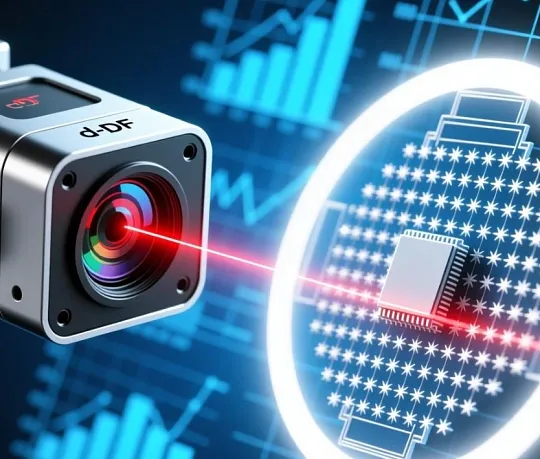
For perception, Jumper uses a 6-axis IMU, a dToF depth sensor with a 54 × 42 array (2,268 distance measurements per frame and a range of 5 cm to 8.8 m), and a 5-megapixel camera with a 162.2° diagonal field of view. For interaction, it has two 0.9-inch circular TFT displays serving as eyes, dual speakers, and four MEMS microphones.
Power comes from a removable 25.2 V / 3,000 mAh battery, providing approximately two hours of runtime. USB-C PD 3.1 charging supports up to 140 W. That’s a rather generous power and charging setup for a robot weighing just 1.8 kg.
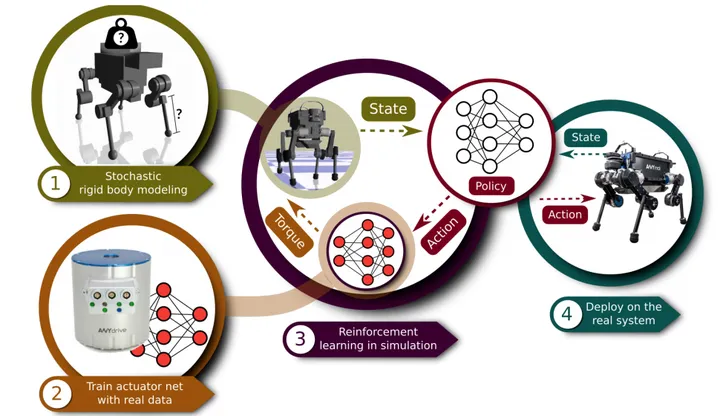
The training pipeline is built on mjlab and rsl_rl, using Proximal Policy Optimization (PPO). It supports two physics backends: MuJoCo Warp runs on the GPU with 4,096 parallel environments by default, while native MuJoCo distributes environments across multiple CPU threads.
The framework keeps the simulator-specific interface extremely thin. The manager and learning layers remain completely unchanged, so adding a new robot or task requires no modifications to the code under scripts/. There are only three main command-line entry points — train.py, play.py, and export.py — all sharing the same argument parser.
Once training is complete, export.py converts the checkpoint into actor.onnx along with a layout.json file. That layout.json is arguably the most meticulously designed part of the entire project. It specifies everything: observation ordering, joint limits, command ranges, action scaling, and reference frames.
The documentation highlights two configuration errors that were caught and rejected. First, joint position clamping had previously been hardcoded to ±3.30, which turned out to be a placeholder left over from a crate unit test. The mechanical limits of 20 out of the 22 joints all fell within that range. In other words, the clamp was executing on every control cycle but would never actually activate.
Second, the joystick command range was set to 0.80 m/s, even though the policy had only been trained on commands up to 0.50 m/s. Pushing the joystick to its maximum was effectively asking the policy to respond to an input it had never encountered during training. The resulting behavior looked like a policy that simply couldn’t move fast enough, when the real problem was a misleading configuration.
Both values are now read directly from the contract. On the device side, any contract missing joint_limits is rejected outright. The team would rather have an export fail than allow a nonfunctional policy to reach the robot.
After ONNX export, the model goes through onnx2rknn inside a Docker environment and is converted into an .rknn model for the RK3576’s NPU, with an FP16 quantization error of 1.1e-3.
Next, deploy.py packages the finite-state machine (FSM), policies for each operating mode, control mappings, and reference trajectories into a bundle and an .app file. The same Rust controller is compiled into three targets: a native binary for the onboard system, WebAssembly for the browser, and a Python extension used by play. All three hosts load the same bundle and use their respective components.
On the robot, the control path is straightforward: observations → NPU inference → target joint positions → DDS publishing. The communication stack uses CycloneDDS 11.0.1 and libmbus 2.4.0, with a 1 kHz control loop.
Inference runs at different rates depending on the operating mode: 200 Hz for locomotion and jumping, and 50 Hz for claw manipulation, dancing, and gestures. Between inference updates, the system uses zero-order hold combined with a frequency-independent exponential moving average (EMA) to smooth the transitions.
There’s another interesting detail: even the meanings of gamepad and keyboard inputs are defined through a fixed vocabulary in controller/vocabulary.json. The vocabulary describes inputs such as “A button pressed” or “left joystick at (0.4, −0.9)”, but deliberately does not define what those inputs are supposed to do.
Any input name outside the vocabulary is rejected during loading. Otherwise, a made-up control name might parse successfully without being bound to any actual action, producing behavior that looks exactly like a broken button.
So what’s still missing? The repository is unusually candid about that. RKNN inference has not yet been verified on the physical hardware, and the control loop has never actually driven the motor bus. The 1 kHz publishing rate, mode-switching ramps, and jitter statistics have not been measured on the real board. Neither SCHED_FIFO nor mlockall has been implemented.
Every stage of the pipeline has its own validation checks, but the final hardware-level challenges are still waiting for someone to tackle them.
The repository’s README suggests a rather unconventional workflow: drop the entire project into an AI coding assistant and describe what you want in a single sentence. For example, “Design a warm sand-colored ranger appearance for Jumper and export it as a .skin,” or “Train a stable tripod gait and package it as an .app.”
From there, the AI assistant can follow AGENTS.md and the accompanying skills to work through the entire pipeline, from start to finish.
Discussion